01
Automatic Setup
Lumar VPN is a macOS app that helps protect your internet connection and increase online privacy. The app automatically applies the necessary settings and selects the optimal server.
Lumar VPN for Mac — fast connection, modern encryption, and a single account for all your Apple and other platform devices.
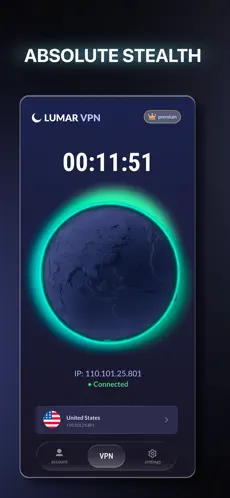
Download the macOS app from the official website, open the installer file, and complete the installation. Upon your first launch, log in to your account and connect to the VPN.
Yes. Authorization is necessary to manage your subscription and sync devices. This allows you to use one account across multiple devices simultaneously.
One Lumar VPN subscription supports simultaneous connection of up to 5 devices.
Yes. We regularly update the app to ensure compatibility with current macOS versions and new Apple devices.
Yes. A free mode is available after installation. A subscription grants access to additional service features.
Yes. Using a VPN helps increase connection security when connecting to open hotspots in cafes, hotels, airports, and other public places.
No. After installation, just log in and press the connect button—the app configures the rest of the parameters automatically.
Yes. If you log into the same Lumar VPN account, the subscription can be used simultaneously on multiple devices.