01
Easy connection
Launch the app and connect to the VPN with one tap without complicated configuration.
Lumar VPN - fast and secure VPN for Apple devices. Protect your data, connect to the internet through an encrypted connection, and use your favorite sites and apps without complex setup.
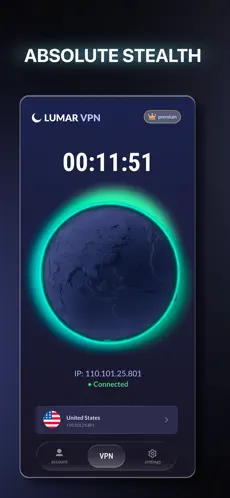
Click the «Download for iPhone» button, go to the App Store, install the app, and open it. After the first launch, iOS will ask for permission to create a VPN connection - this is a standard procedure.
Yes. We regularly update the app and support the latest versions of Apple's operating system.
Authorization is required. You can choose any convenient login method and use the app immediately after installation. Authorization is only needed to manage your devices; one subscription allows you to connect up to 5 devices simultaneously.
Yes. Lumar VPN works over both Wi-Fi and mobile networks.
Due to encryption, the speed may vary slightly, but the app automatically selects the optimal server for the most comfortable connection.
Yes. The VPN creates a secure data channel and helps increase internet connection privacy, especially when using public Wi-Fi networks.
Yes. The app has free servers, while a subscription unlocks additional features and takes speed and comfort to a new level.